Claude Code for Non-Developers Internal tool from a spreadsheet
Turn the spreadsheet your business runs on into a proper internal tool.
A quote tool your team opens from a private link, proven to give your spreadsheet's answers on past quotes before its mistakes are fixed.
- The guide: 24 pages, worked through a quote calculator for a kitchen fitter
- Copy-paste prompt library: 12 prompts (PDF and plain text)
- Checklist PDF: the weekend plan, worksheets for your spreadsheet map, known answers and brief, a check to run before every publish, and the whole guide on one page
You'll need Any paid Claude plan (Pro or higher) and a Mac or Windows computer where you can install apps. For the private link: a free Cloudflare account; its Zero Trust Free plan asks for a payment card, but nothing is charged on the Free plan.
Version 1.1 · Last tested November 2026 · Free updates
Launch offer: 20% off this guide with code LAUNCH20 at checkout, until 30 November.
Instant download · Secure checkout by Stripe · VAT invoice for companies · Single user licence, terms of sale
Want a taste first? Read chapter 1 free (PDF, 6 pages, no sign-up), or read the free article How to Turn a Spreadsheet Into an Internal Tool With Claude Code.
Who it's for
For you if
- Anyone whose business runs on an Excel file only one person understands
- Owners who want a quote calculator or dashboard the team can use
- The recommended first build for Claude Code
Not for you if
- Tools that will hold customer or patient data (see the booking app edition)
- Anyone who needs a mobile app in the app stores
What you'll build
By the end you'll have the real thing, not notes about it. The guide builds it alongside you for a quote calculator for a kitchen fitter, then shows you how to make it yours.
- 01A plain-English map of what the spreadsheet actually does
- 02A web tool with the same logic, proven against your past quotes
- 03A private link only your team can open
- 04A ten-minute routine for changing prices and rules
Inside the guide
- From spreadsheet to tool
- Set up safely
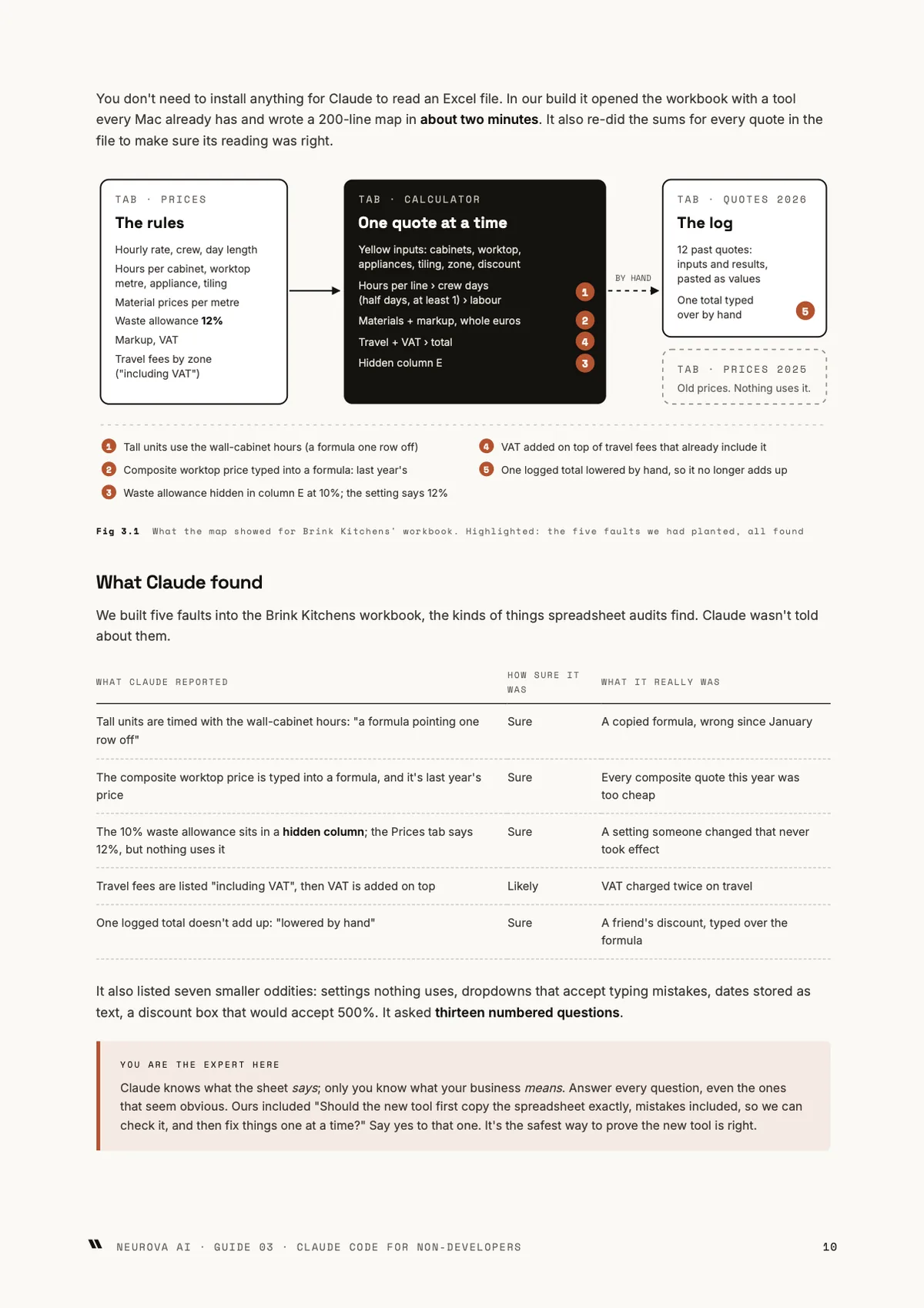
- Map what your spreadsheet does
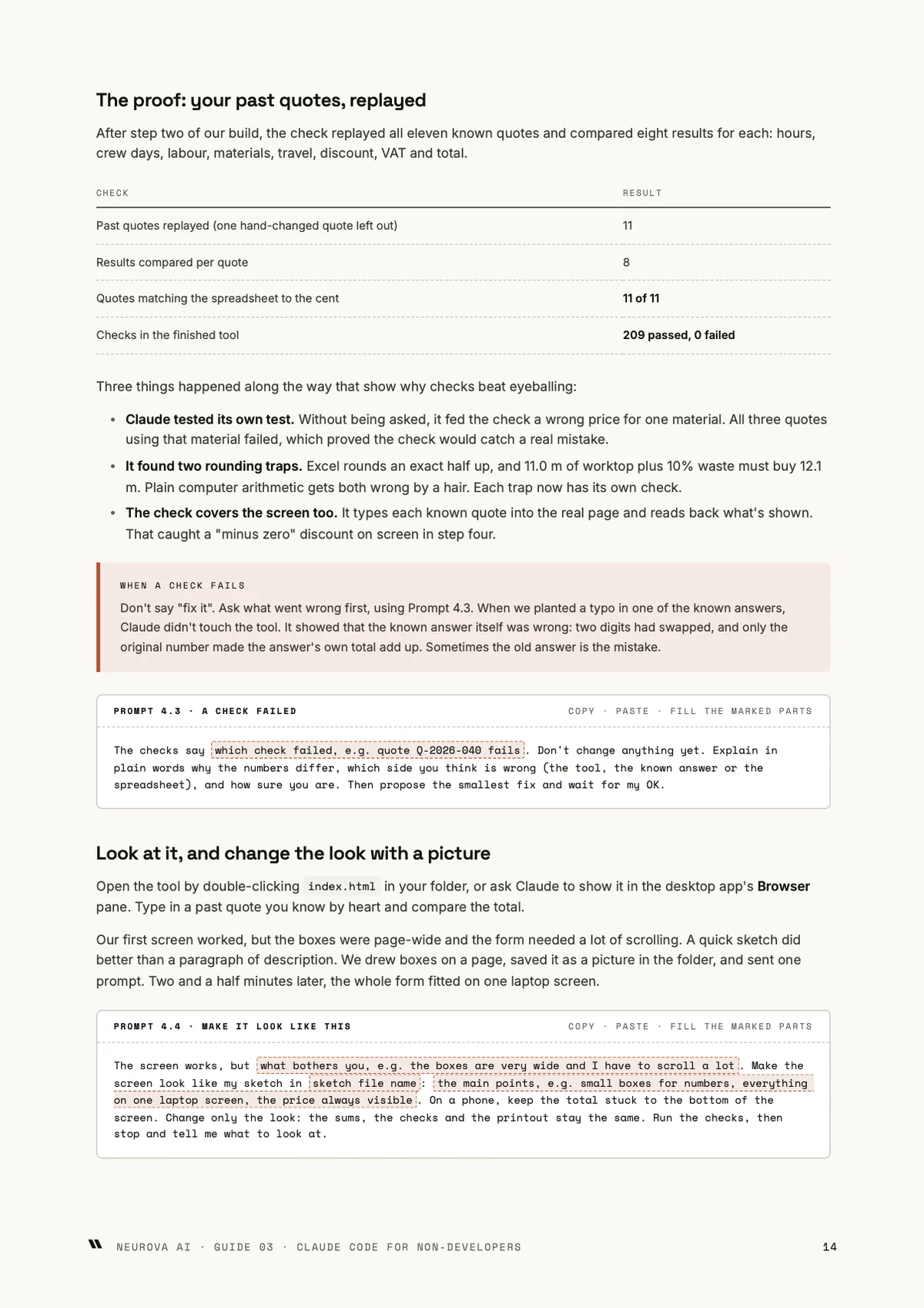
- Build it, then prove it matches the sheet
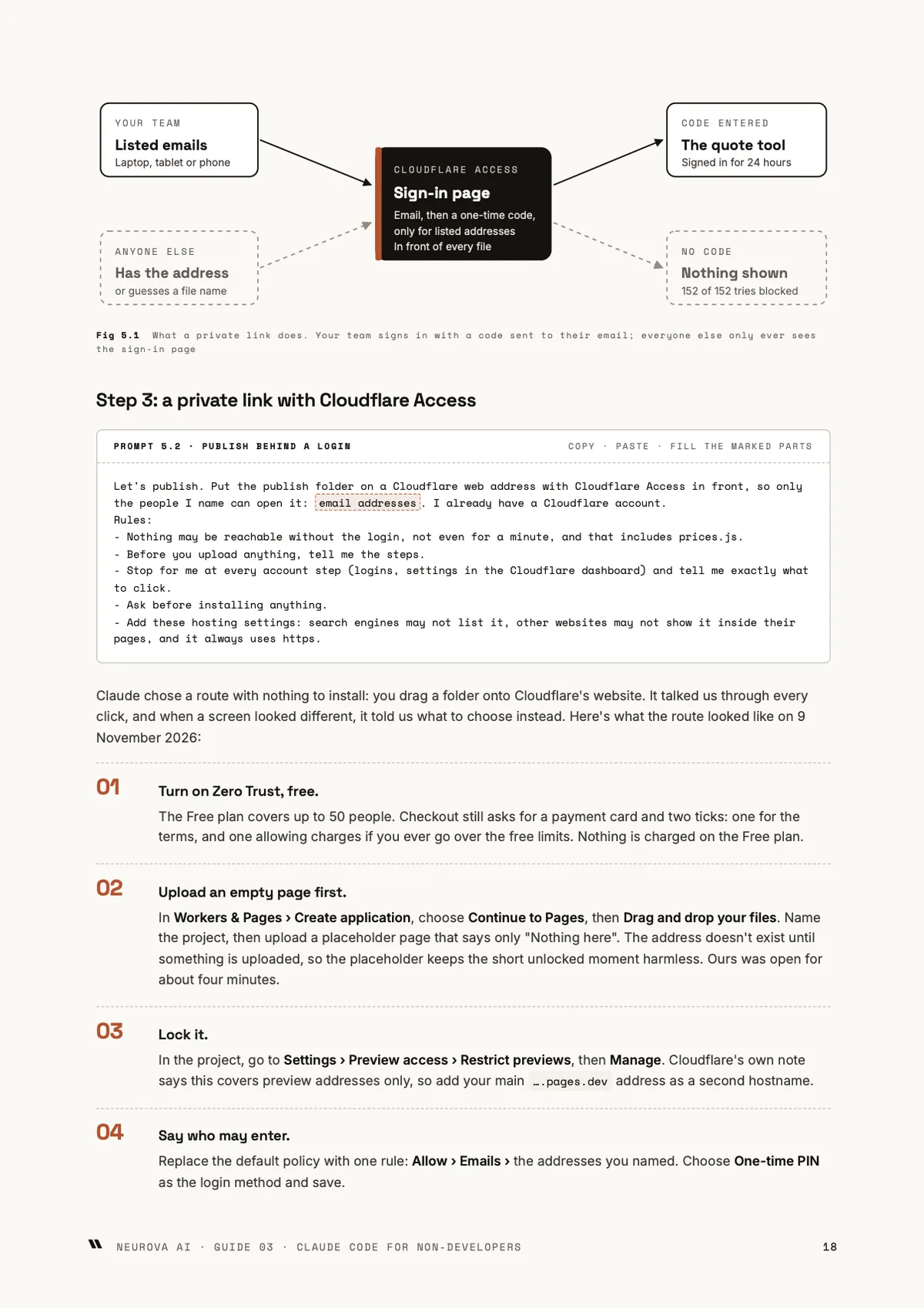
- Ship it safely: a link only your team can open
- Change prices and rules without breaking it
- Troubleshooting
- Retire the spreadsheet, or hand it over
Tap a page to read it at full size. Or download chapter 1 free (PDF, 6 pages).
What's included
- The guide (PDF)
- Prompt library (PDF)
- Prompt library (TXT)
- Checklist and cheat sheet (PDF)
- Every update to this edition, free, in your library
Each PDF is stamped with your email address and order number. You can download each file 5 times.
Get it in a pack
4 editions
Builder Pack
All four Guide 3 editions. Four tools, built with Claude Code.
€96 if bought separately
€59 incl. VAT
Coming soon
11 editions + future editions
Business Fast-Track, all access
All eleven editions of Guides 1–3, plus every future edition of those guides.
€264 if bought separately
€99 incl. VAT
Coming soon
Other editions of this guide
Ready to start?
A quote tool your team opens from a private link, proven to give your spreadsheet's answers on past quotes before its mistakes are fixed.
Instant download · Secure checkout by Stripe · Free updates
Internal tool from a spreadsheet€24 incl. VAT · instant download
Buy
Rather have us build it? Neurova AI builds AI systems to healthcare standards, including what this guide teaches. Get a quote.
Questions
- Do I need to be a developer?
- No. Claude Code writes and runs the code. You describe what the tool must do, answer its questions about your business and check its results against answers you know are right.
- What do I need?
- Any paid Claude plan (Pro or higher) and a Mac or Windows computer where you can install apps. For the private link you also need a free Cloudflare account.
- Is it safe to let Claude Code read my spreadsheet?
- Work on a copy with customer names, addresses and notes removed, in a folder that holds nothing else. The setup chapter walks through the privacy settings to check first.
- Which spreadsheets is it for?
- Spreadsheets that calculate from your own rules but store nothing, such as quotes, estimates, planning and commission sums. A tool that will hold customer or patient data needs a stricter build than this edition covers.
- How do I get the guide after paying?
- The download buttons appear on the next page as soon as payment completes. We also email you a link to your library, so you can download again later from any device.
- Do I need an account or a password?
- No. Your library link arrives by email. If you lose it, enter your email on the library page and we send a fresh one.
- What's the licence?
- One person. Each PDF is stamped with the buyer's email address and order number. Buying for a team? Email us and we'll sort out a team licence.
- Can I get a refund?
- Because you get the download straight away, the 14-day right of withdrawal for online purchases ends once the files are available to you. You agree to that at checkout. If a file is faulty or doesn't match its description, email us and we'll fix it or refund you. The full rules are in our terms of sale.
- Is VAT included?
- Yes, prices include VAT for consumers. Businesses elsewhere in the EU that enter a valid VAT number at checkout pay no Dutch VAT and get an invoice with reverse charge. Every order gets a receipt and an invoice PDF.
- Are the examples real businesses?
- No. Each guide works through a clearly labelled fictional business, built for real while we wrote it, so every step has been tested. Real companies appear only as cited public case studies.
- What if a tool changes after I buy?
- Each guide names the tools but teaches the method, and carries a last-tested date. We re-test every quarter, and updated versions appear in your library for free.